The 12 Best Habit Tracking Apps for a Productive 2025/2026
Building a positive habit is fundamental to growth, but most attempts fizzle out within weeks. This isn’t a personal failure; it’s a systems failure. Traditional pen-and-paper methods often lack the crucial feedback loops, accountability, and consistent engagement needed to transform a conscious effort into an unconscious routine. The core problem is maintaining momentum when initial motivation fades.
This is where technology can provide a powerful solution. The best habit tracking apps act as a structured framework, offering the reminders, progress visualization, and community support necessary to solidify new behaviors. They bridge the gap between intention and action, providing the digital scaffolding that keeps you on track. This guide is designed to move beyond generic recommendations and help you find the perfect tool for your specific needs.
We’ve created a complete breakdown of the top options available, from specialized tools like the Digital Detox App for reducing screen time to versatile platforms like Notion. For each app, you will find:
- A concise analysis of its core strengths and ideal user.
- Actionable insights into unique features and implementation tips.
- Key comparisons highlighting critical differences in approach and pricing.
- Direct links and screenshots to help you evaluate each option quickly.
Our goal is to provide a clear, comprehensive resource that enables you to select and implement the right habit tracker immediately. By understanding the distinct benefits and limitations of each tool, you can make an informed choice that supports lasting, meaningful change.
1. Digital Detox App
Best for: Building mindful tech habits through single-purpose tools.
Digital Detox App Hub offers a refreshingly direct and minimalist approach, making it one of the best habit tracking apps for anyone feeling overwhelmed by digital noise. Instead of a single, complex application, it provides a suite of simple, free, and distinct web-based tools, each engineered to solve a specific problem related to screen time and digital wellness. This unique structure allows users to target a precise behavior, like reducing social media use or creating a screen-free evening routine, without the friction of navigating a feature-heavy platform.
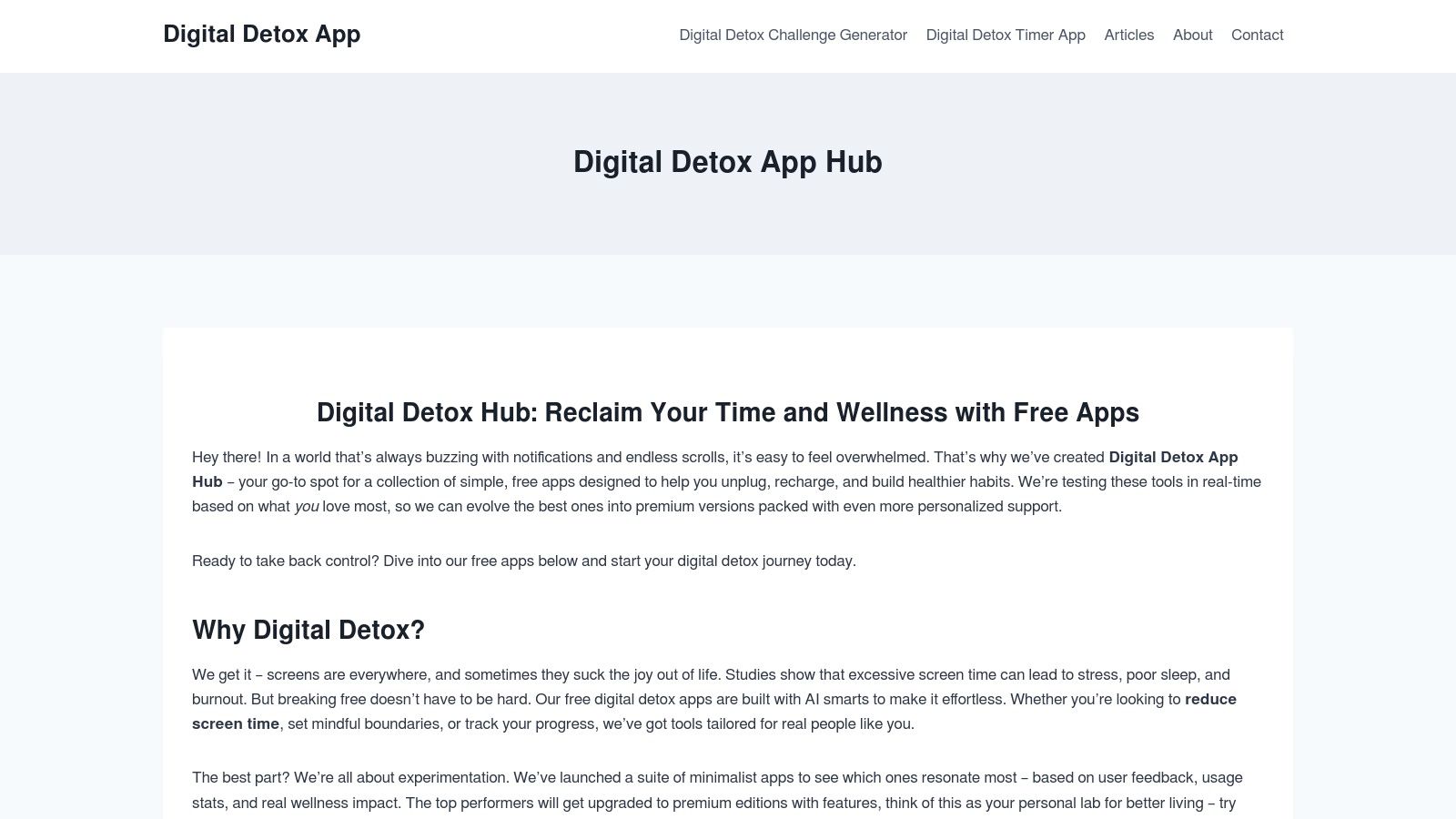
The platform’s strength lies in its “one-job” philosophy. You can generate a weekend detox plan, set mindful boundaries for your phone, or run a timer-based break without getting sidetracked. This makes habit formation feel immediate and achievable, catering perfectly to busy professionals, students, and parents who need practical, small-step solutions that fit into a packed schedule.
Core Features & Standout Qualities
What truly sets Digital Detox App Hub apart is its iterative, user-centric development. The tools are continuously refined based on real user feedback and data, ensuring they deliver measurable wellness impact. This experiment-driven model means the most effective apps are evolved into more robust versions, while less useful ones are phased out.
- Single-Purpose Web Apps: Each tool is designed to do one thing exceptionally well, from creating a personalized sleep routine to guiding a phone addiction reset. This prevents feature bloat and decision fatigue.
- Action-Oriented Design: The platform moves you from identifying a pain point (e.g., stress, poor focus) to implementing a solution in minutes. It emphasizes small, repeatable actions that build momentum.
- Feedback-Driven Improvement: The platform’s commitment to using real-world data ensures its tools remain practical and effective for a broad audience struggling with digital burnout.
Use Case: Reclaiming Your Evenings
A common challenge for remote workers and busy professionals is disconnecting after work. Using the Digital Detox App, you can create a personalized “Screen-Free Evening” plan. The tool guides you to define a specific time to put devices away, suggests alternative analog activities, and helps you set realistic boundaries. This small, consistent habit helps reduce stress, improve sleep quality, and restore a sense of work-life balance. For more strategies on this, explore their guide on how to spend less time on your phone.
Pricing & Platform Availability
Currently, all core tools on the Digital Detox App Hub are free to use. The platform operates on a freemium model, with plans to introduce premium, paid upgrades for its most successful and data-validated applications. These future versions will offer deeper personalization and more advanced features. As web-based tools, they are accessible on any device with a browser, requiring no downloads or installations.
Visit Digital Detox App
2. Apple App Store
For anyone using an iPhone, iPad, or Apple Watch, the App Store is the essential starting point for finding the best habit tracking apps. It’s not a single app, but rather the official, secure marketplace where you can discover, compare, and install a vast array of native iOS applications like Streaks, Habitify, and Done. Its primary advantage is its integration into the Apple ecosystem, ensuring a layer of security and privacy vetting for all listed applications.
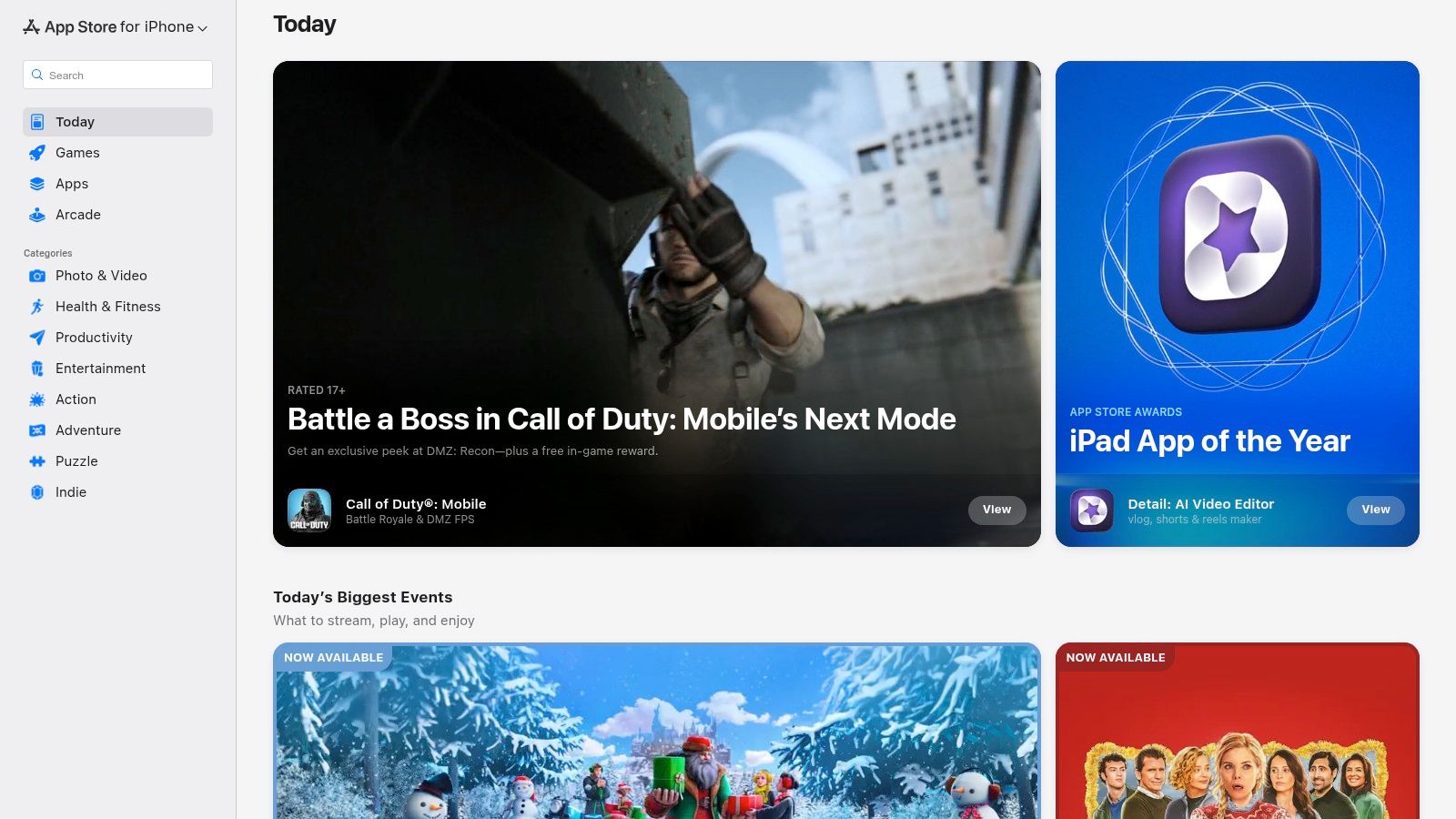
The platform centralizes user reviews, version histories, and developer responses, providing crucial social proof before you commit to a download. For those browsing the Apple App Store, exploring a wider range of productivity apps specifically for iPhone can complement your habit tracking efforts by offering tools for task management, focus, and more.
Key Features & User Experience
A standout feature is the App Store’s transparent handling of finances. Subscription terms, in-app purchase costs, and renewal policies are clearly displayed on each app’s product page, preventing unexpected charges. All billing is managed directly through your Apple ID, which simplifies managing or canceling subscriptions in one central location.
Practical Tip: To avoid the “noise” of countless similarly named apps, use specific search terms like “streak-based habit tracker” or “gamified habit app” instead of just “habit.” Also, check the “Version History” section on an app’s page to see how frequently the developer pushes updates-a good sign of an actively maintained product.
- Pros: Safest source for iOS apps, clear IAP and subscription terms, streamlined subscription management via Apple ID.
- Cons: Discovery can be overwhelming due to the sheer volume of apps, some app listings can be vague about premium features.
- Website: https://apps.apple.com
3. Google Play Store
For the millions of Android users, the Google Play Store is the primary gateway to finding the best habit tracking apps. It serves as the official, secure marketplace to browse, download, and manage a massive library of applications, including popular choices like Loop Habit Tracker, HabitNow, and TickTick. Its key advantage is its deep integration with the Android operating system and Google accounts, providing security scans with Google Play Protect and simplifying the entire app lifecycle.

The platform consolidates user ratings, detailed reviews, download counts, and developer information on each app page. This offers valuable social proof and insight into an app’s popularity and maintenance history before you install it, helping you make an informed decision from a vast sea of options.
Key Features & User Experience
A significant feature of the Google Play Store is its unified subscription management. All billing, including in-app purchases and recurring subscriptions, is processed through your Google account, which makes it easy to review and cancel services from a single dashboard. App pages clearly outline if they contain ads or offer in-app purchases, giving you transparency on the monetization model upfront.
Practical Tip: To find high-quality, actively supported apps, filter your search results and look at the “Updated on” date on the app’s page. Frequent updates are a strong indicator of developer commitment. Also, read recent one-star and five-star reviews to get a balanced perspective on an app’s current performance and potential bugs.
- Pros: Vast selection of apps with frequent discounts, easy installation and automatic updates, strong subscription and family controls.
- Cons: App quality can vary significantly, and search results may surface clone or low-effort apps; some listings are less curated.
- Website: https://play.google.com/store
4. Habitify
For users who operate across multiple devices, Habitify offers a seamless and consistent experience, making it one of the best habit tracking apps for cross-platform synchronization. Available on iOS, macOS, Android, and the Web, it ensures your habit data is always up-to-date, whether you’re checking in from your phone, laptop, or smartwatch. Its polished interface and robust feature set are designed for individuals who want detailed tracking without a steep learning curve.
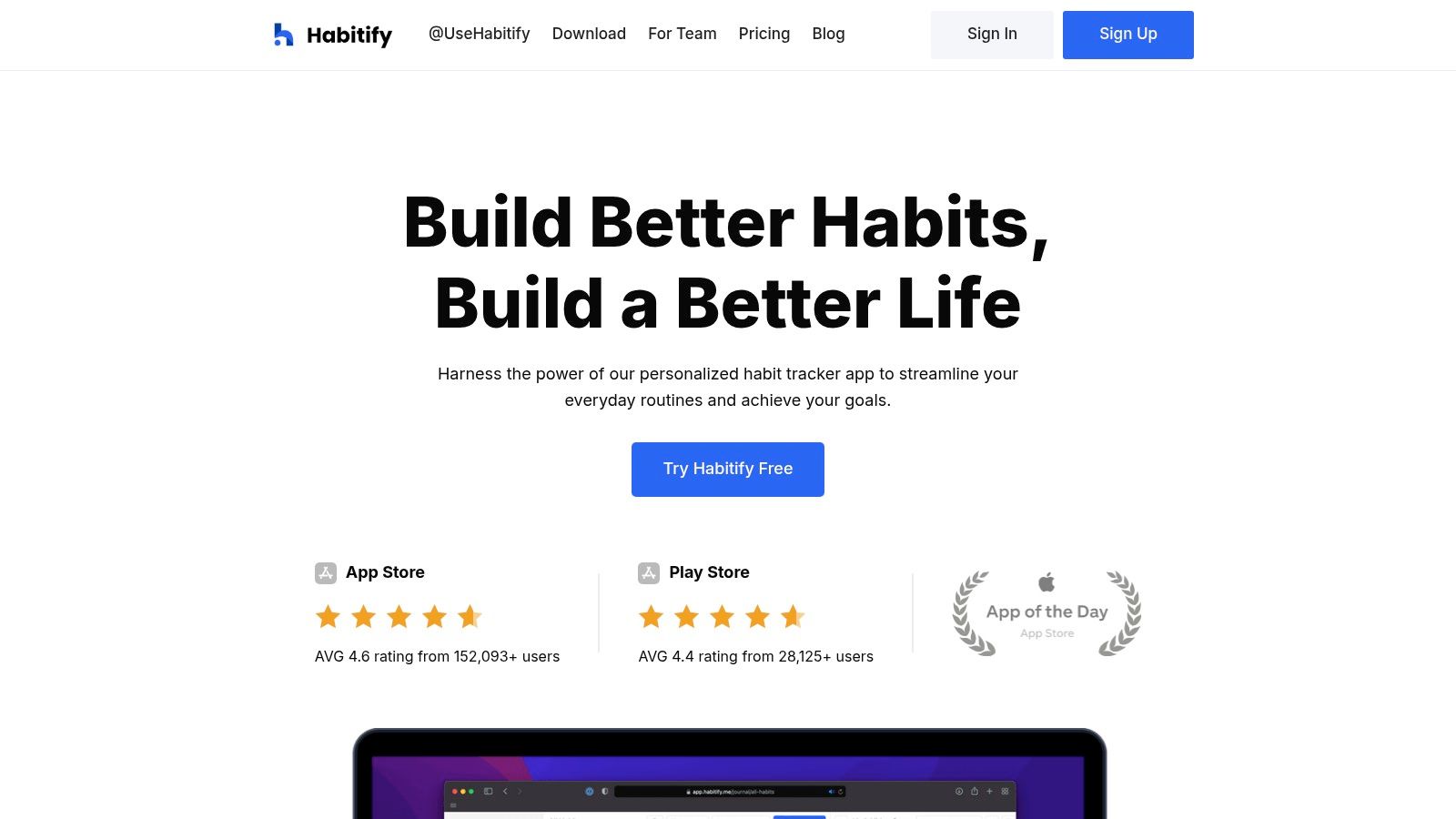
The platform excels at integrating with your existing digital life. By connecting to Apple Health, Google Fit, and various calendar apps, Habitify can automate check-ins for health-related goals like workouts or meditation, providing a more holistic view of your progress. This level of integration removes the manual effort often associated with tracking, making it easier to stay consistent.
Key Features & User Experience
A key differentiator for Habitify is its sophisticated reminder system. Beyond simple time-based alerts, it supports location-based reminders and “habit stacking,” a technique where you link a new habit to an existing one. This feature is a practical application of behavioral science, helping you anchor new routines to established parts of your day. The app also provides detailed analytics and reports, allowing you to visualize your completion rates, streaks, and trends over time.
Practical Tip: Use Habitify’s “Journals” feature to add context to your check-ins. If you miss a habit, note why. This practice transforms the app from a simple tracker into a powerful tool for self-reflection, helping you identify obstacles and adjust your strategy for better results.
- Pros: Excellent cross-platform sync, strong analytics and reporting, supports habit stacking and calendar integrations.
- Cons: The free plan is quite limited in the number of habits you can track; best integrations are more developed for the Apple ecosystem.
- Website: https://www.habitify.me
5. Habitica
For those who find traditional checklists uninspiring, Habitica transforms habit tracking into a gamified role-playing game (RPG). It’s an innovative platform available on both web and mobile that reframes your daily tasks and habits as quests and monsters to conquer. This approach is uniquely suited for users motivated by rewards, character progression, and social accountability, making it one of the most engaging habit tracking apps available.
Habitica’s core appeal lies in its community features. You can join guilds to discuss goals or form a party with friends to take on quests together. When a party member fails to complete a daily task, the entire group takes damage, creating a powerful layer of positive peer pressure and collaborative motivation that standard trackers lack.
Key Features & User Experience
The platform brilliantly merges productivity with play. Completing habits earns you experience points (XP), gold, and random item drops, which you use to level up your avatar and purchase in-game gear. This immediate feedback loop makes sticking to your goals feel rewarding. The interface is vibrant and full of RPG elements, which can be a huge plus for gamers but might feel cluttered for minimalists.
Practical Tip: To maximize accountability, join an active “Party” with friends or find one in the Guilds. When your entire party’s success depends on each member completing their Dailies, the motivation to stay on track increases dramatically. Start with just a few core habits to avoid feeling overwhelmed by the game mechanics.
- Pros: Highly motivating for people who enjoy gamification, active community and frequent seasonal events, strong social accountability features.
- Cons: Interface can feel busy for users wanting a simple tracker, some advanced team features are behind a paid subscription.
- Website: https://habitica.com
6. Streaks
For users deeply embedded in the Apple ecosystem, Streaks is a premier choice among the best habit tracking apps, celebrated for its design-first approach and a commitment to the “buy once” model. It shirks subscriptions in favor of a single purchase, making it an attractive long-term investment. The app centers on the powerful psychological motivator of not breaking a chain, visualizing your progress through a clean, customizable grid of up to 24 habits.
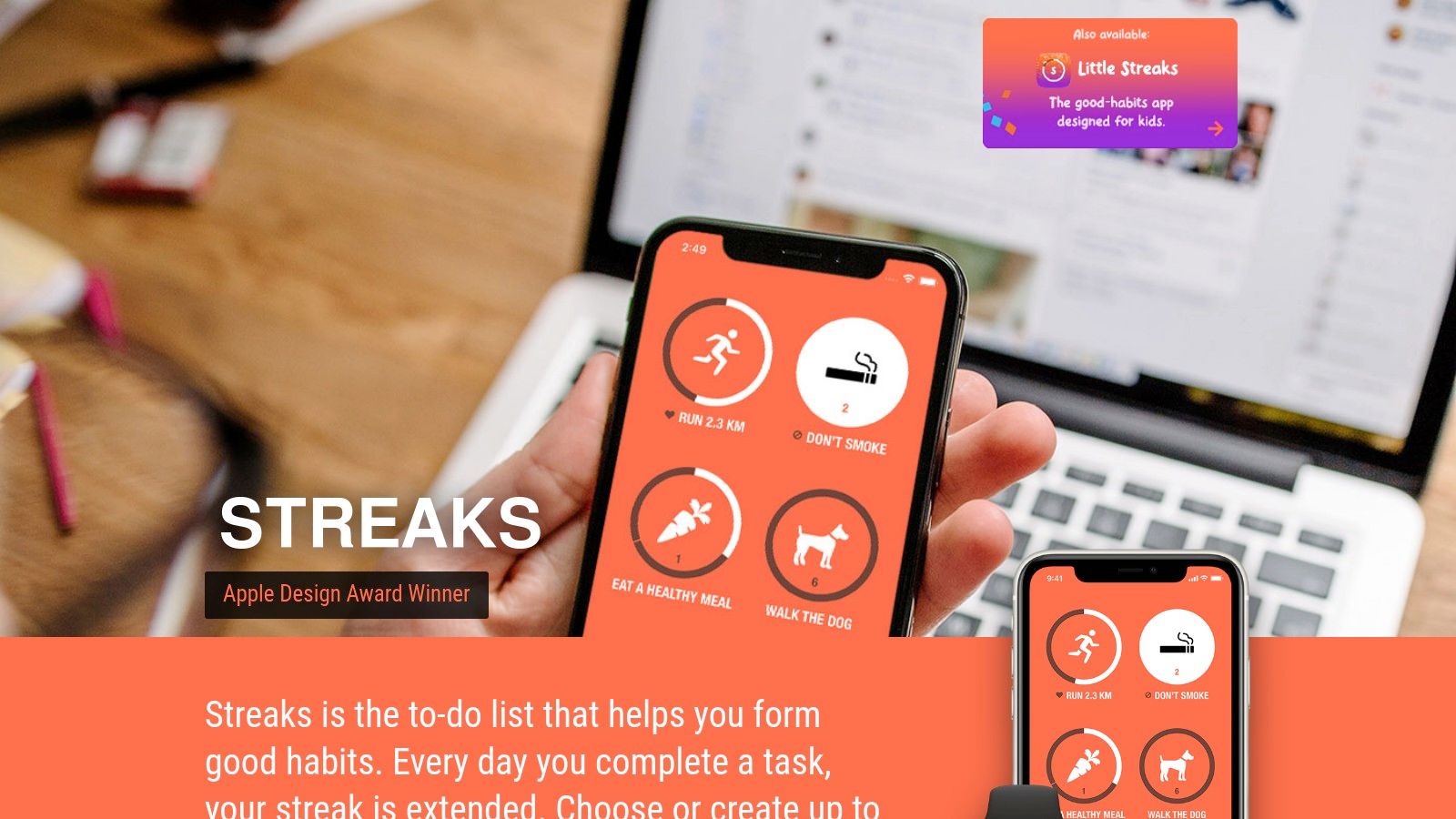
Its biggest differentiator is its profound integration with native Apple services. It automatically logs tasks by pulling data directly from Apple Health, such as mindful minutes or steps taken, reducing manual entry. This seamless automation is key to building sustainable habits, helping you stay on track and maintain focus on your work by minimizing app interaction.
Key Features & User Experience
Streaks offers a polished and intuitive user experience that feels native to iOS. The app’s power is amplified by its robust Apple Watch counterpart, which allows for quick logging and progress checks directly from your wrist. This convenience is crucial for maintaining momentum without constantly needing your phone. The app also supports iCloud sync, ensuring your habit data is consistent across your iPhone, iPad, Apple Watch, and Mac.
Practical Tip: Leverage the Apple Health integration to its fullest. Connect tasks like “Walk 10,000 steps” or “Practice mindfulness” to the Health app. Streaks will automatically mark them as complete, which removes the friction of manual tracking and makes consistency easier.
- Pros: No subscription-one-time purchase on Apple platforms, native Apple design and excellent watchOS experience, automates tracking via Apple Health.
- Cons: Not available for Android or Windows, one-time price varies by App Store listing and region.
- Website: https://streaks.app
7. Strides
For goal-setters who need more than a simple yes/no checklist, Strides offers a uniquely flexible and data-driven approach. It stands out by providing four distinct tracking types, allowing you to monitor not just binary habits but also quantitative targets, project milestones, and averages over time. This makes it one of the best habit tracking apps for users who follow frameworks like SMART goals and want to see detailed progress toward complex objectives.
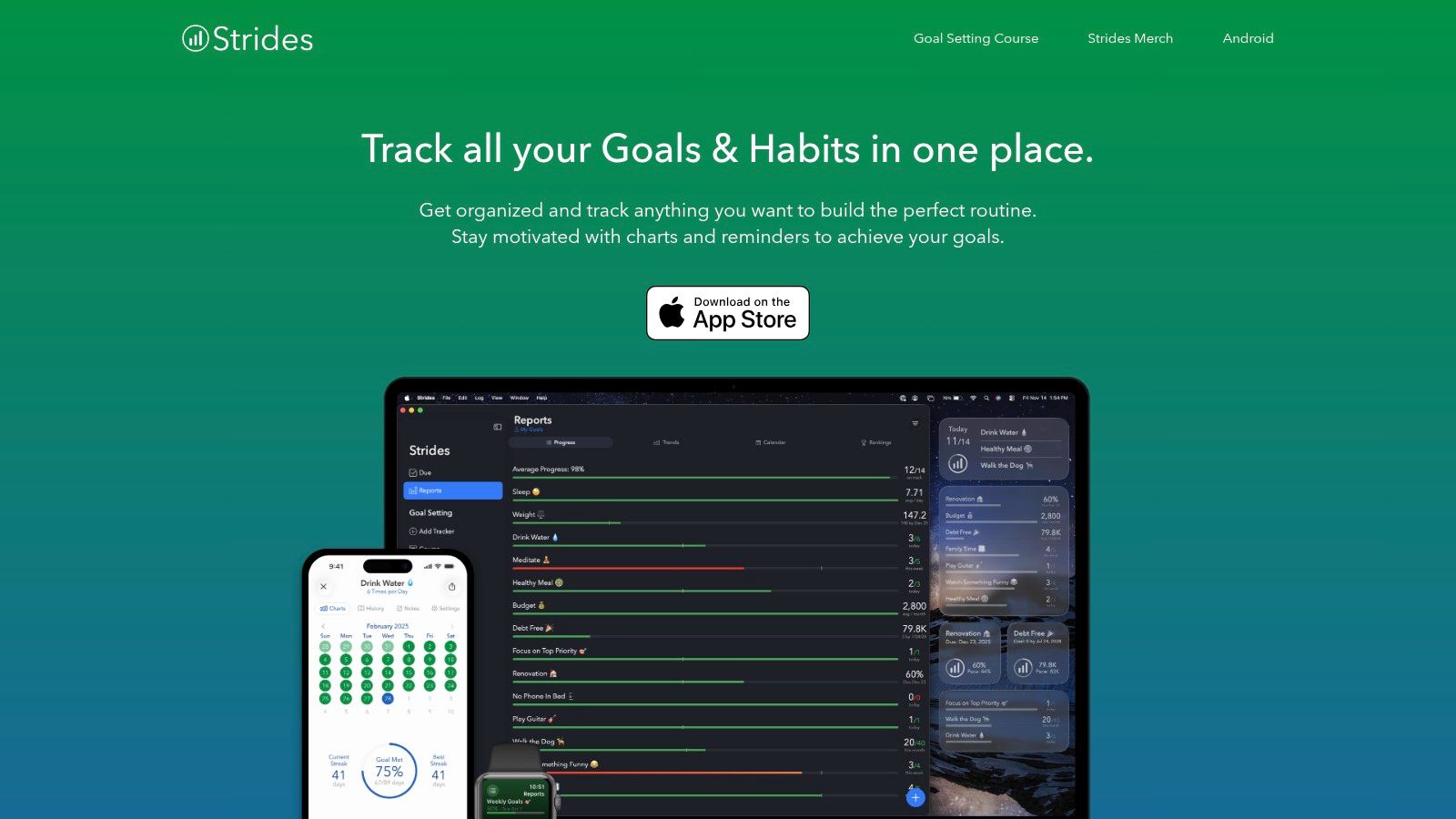
This versatility allows you to track “Drink 8 glasses of water” (Habit), “Save $500 by December” (Target), “Get 7 hours of sleep” (Average), and “Finish Q4 report by Friday” with milestones (Project) all in one place. The app presents this data through clear, actionable reports and charts, helping you understand your pace and stay on track.
Key Features & User Experience
Strides excels at visualizing your journey with its detailed progress reports, showing streaks, success rates, and calendars at a glance. The dashboard consolidates all your trackers, providing a powerful overview of your goals. Its template library helps you get started quickly with pre-configured trackers for common goals like fitness, finance, and productivity.
Practical Tip: Use the “Pace” and “On Pace” lines in your Target tracker reports. This feature shows you where you currently are versus where you need to be to hit your goal on time, offering a clear, visual motivator to catch up or maintain momentum.
- Pros: Highly customizable tracking beyond basic habits, clear visuals and reports to monitor pace and progress, great for complex, multi-step goals.
- Cons: Best experience is on iOS as there is no full Android client, some advanced features and unlimited trackers require the premium version.
- Website: https://stridesapp.com
8. Fabulous
Fabulous shifts the focus from simple tracking to a science-backed, guided experience. Instead of just giving you a blank slate to fill with goals, it offers structured “journeys” that act like a personal coach, helping you build routines piece by piece. Its methodology, incubated at Duke’s Center for Advanced Hindsight, is ideal for users who feel overwhelmed by where to start and want a supportive, narrative-driven approach to wellness and productivity.
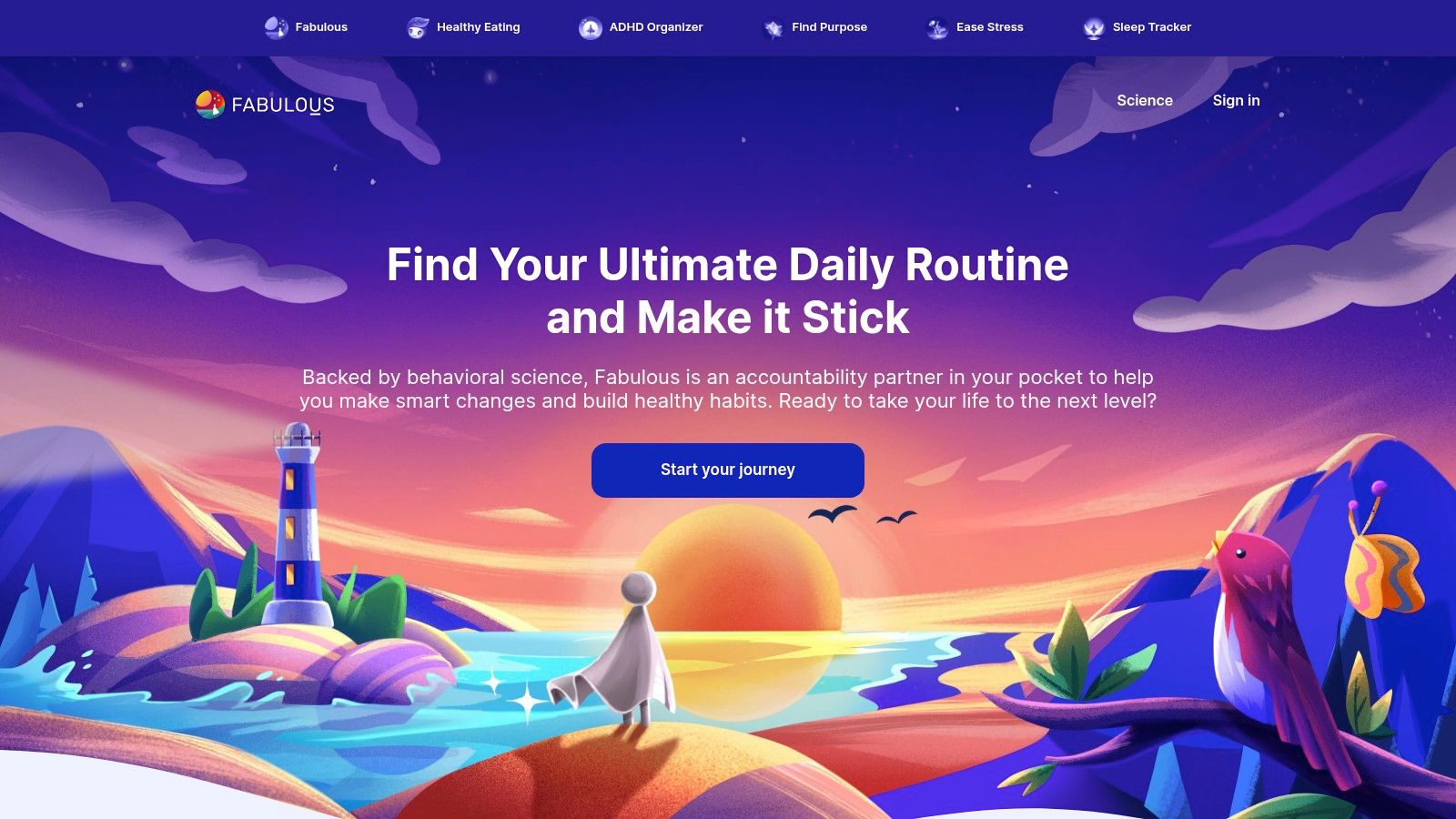
The platform excels at creating holistic morning, afternoon, and evening rituals, integrating habits like hydration, exercise, and meditation into a cohesive flow. This makes it one of the best habit tracking apps for building foundational wellness rather than just ticking off isolated tasks. It can also complement efforts to improve digital wellbeing, aligning with the principles behind various ways to reduce screen time by encouraging offline activities.
Key Features & User Experience
Fabulous stands out with its beautiful interface and audio-guided sessions that explain the “why” behind each habit, fostering motivation and deeper understanding. The app starts you with a simple challenge, like drinking water first thing in the morning, and gradually layers on new habits as you build consistency. This prevents the common pitfall of trying to change too much too soon.
Practical Tip: Fully commit to the initial “journeys” the app assigns. While it might feel slow at first, this structured onboarding is designed to build momentum and establish a foundation. Rushing ahead or trying to customize too early defeats the purpose of its behavioral science approach.
- Pros: Beginner-friendly with excellent guided onboarding, strong focus on building morning/evening routines, beautiful and motivating user interface.
- Cons: Less flexible for users who want to track custom or niche habits, subscription is necessary to access most core features.
- Website: https://www.thefabulous.co
9. TickTick
For those who want to integrate habit formation directly into their daily task management, TickTick stands out as a powerful all-in-one solution. Rather than using separate apps for to-do lists and habits, TickTick combines them into a single, cohesive interface. This makes it one of the best habit tracking apps for users who thrive on efficiency and want a unified view of their daily commitments, from project deadlines to morning meditation streaks.
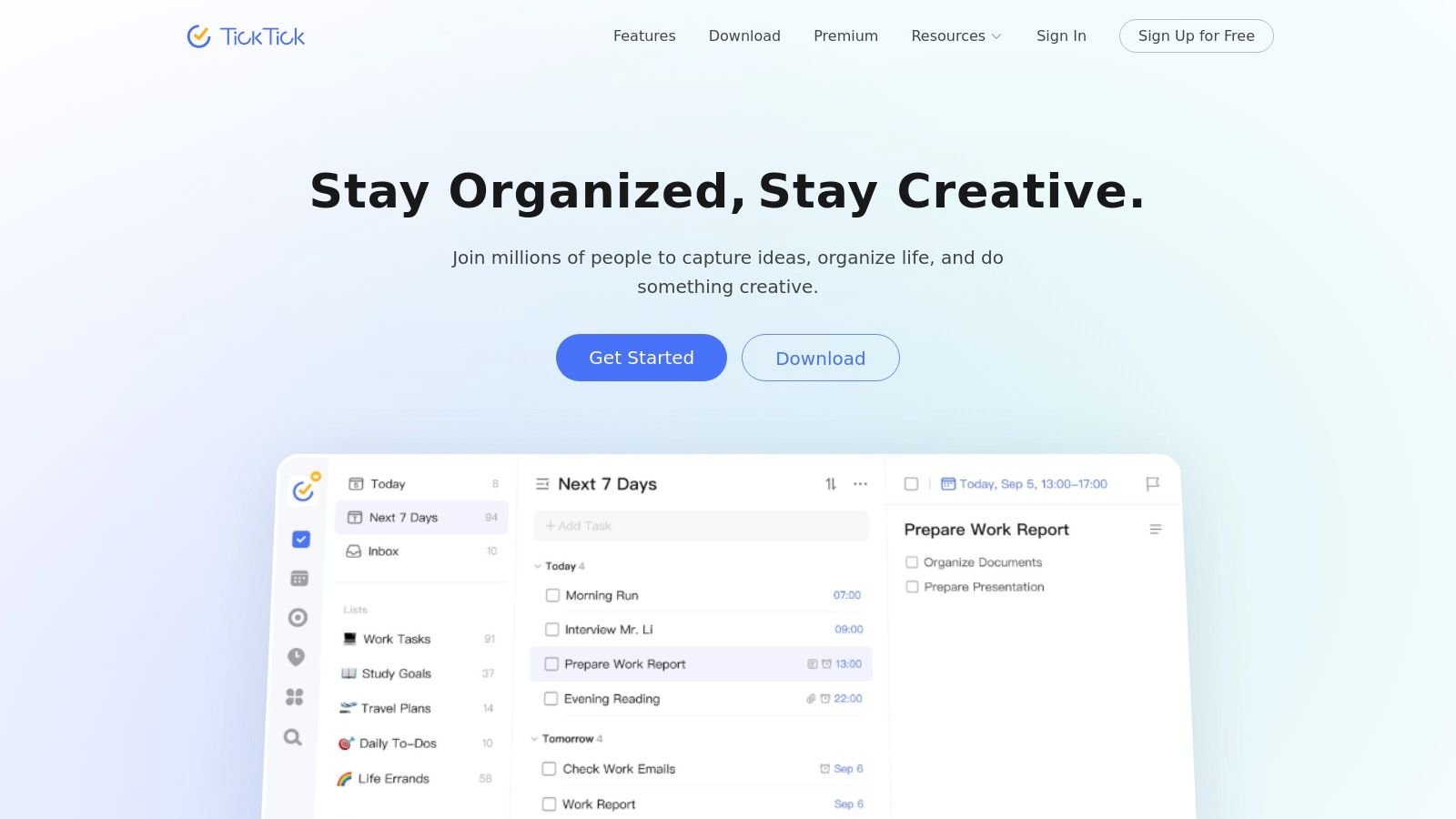
Its core advantage is the seamless connection between your tasks, habits, and schedule. You can see your habits alongside your daily tasks and calendar events, providing a holistic overview of your productivity. The app’s exceptional cross-platform synchronization ensures your data is always up-to-date across iOS, Android, macOS, Windows, and the web.
Key Features & User Experience
TickTick’s habit module is robust, allowing you to set daily or weekly goals, track your streaks, and view progress charts directly within the app. A unique feature is the integrated Pomodoro timer, which you can use for focused work sessions and link directly to specific tasks. This helps build the habit of deep work while checking off your to-do list.
Practical Tip: Use TickTick’s calendar view to drag and drop your habits into specific time slots. This technique, known as time-blocking, transforms an abstract goal like “read more” into a concrete, scheduled appointment, significantly increasing the likelihood you’ll follow through.
- Pros: All-in-one productivity tool combining tasks and habits, excellent cross-platform sync and calendar integration.
- Cons: Full analytics and custom filters require a Premium subscription, billing terms and prices vary by platform/store.
- Website: https://ticktick.com
10. Done
Done is a beautifully simple and colorful habit tracker designed for users who value speed and clarity. It excels at tracking habits that need to be completed multiple times a day, like drinking water or practicing mindfulness, as well as standard daily or weekly goals. Its core advantage lies in its straightforward, privacy-conscious approach, making it one of the best habit tracking apps for those who want to log progress without complicated features getting in the way.
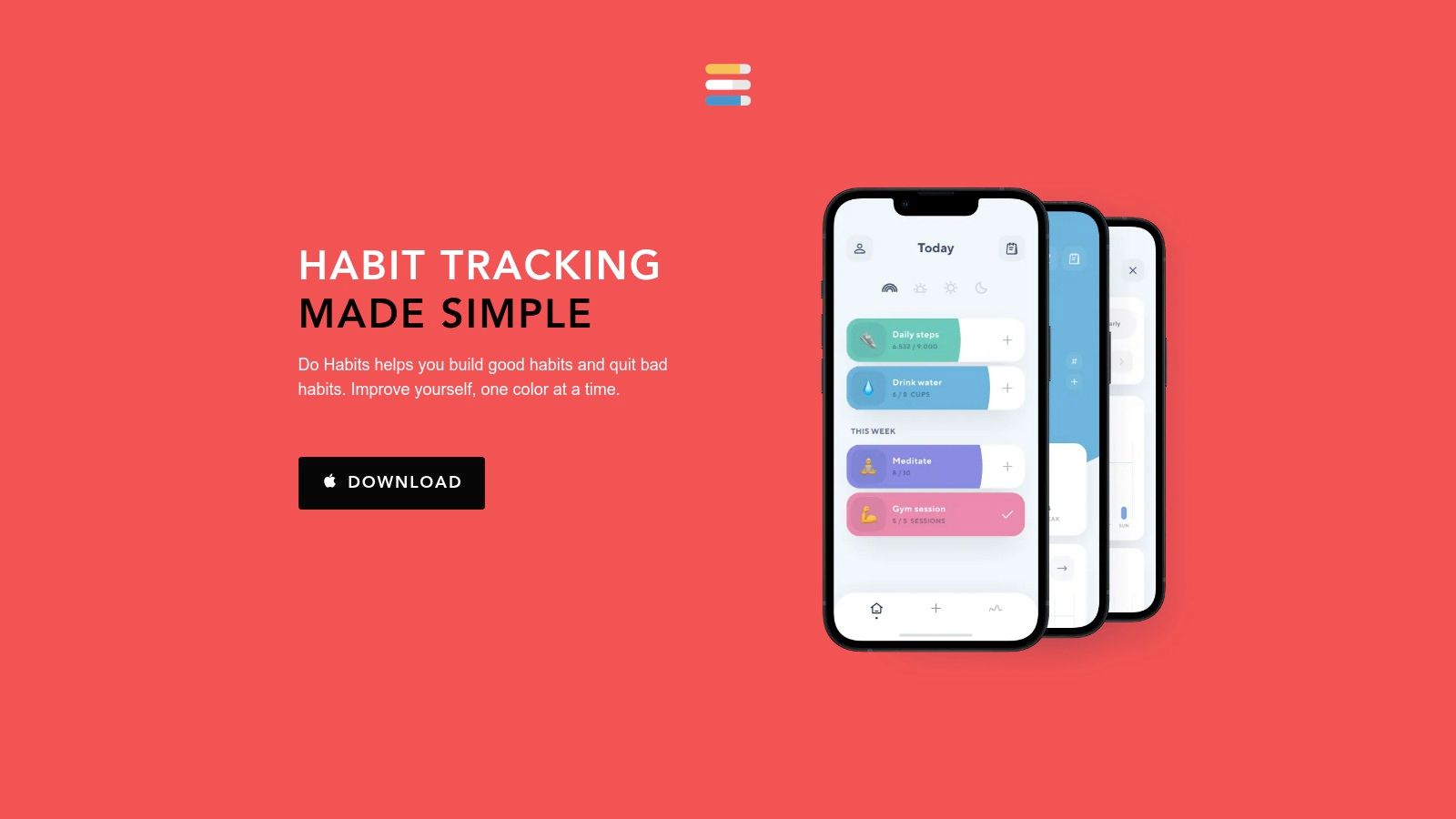
The app presents your habits in a clean, grid-like interface, where a quick tap is all it takes to mark a goal as complete. This minimal interaction lowers the barrier to entry, which is crucial for building consistency in the early stages of habit formation. For data-driven users, Done offers simple trend charts and the ability to export all your progress as a CSV file for deeper analysis.
Key Features & User Experience
A standout feature is Done’s flexibility in goal setting. You can set a target for a habit to be completed a specific number of times per day, week, or month, and the visual feedback is immediate and satisfying. The app also includes an Apple Watch complication and home screen widgets, further streamlining the logging process so you can track habits without even opening the app.
Practical Tip: Use the notes feature for each habit entry to add context. For example, when tracking a “workout” habit, you can note the specific exercises you did. This turns a simple log into a more detailed journal of your progress over time.
- Pros: Minimal, approachable design for fast habit logging, privacy-friendly options and simple data export.
- Cons: iOS-centric with no native Android app, free tier limits number of habits; premium or lifetime upgrade needed for unlimited.
- Website: https://thedoneapp.com
11. Loop Habit Tracker
For Android users who prioritize privacy and simplicity, Loop Habit Tracker is a standout choice. It is a completely free, open-source application that requires no account, no sign-in, and operates entirely offline. This focus on fundamentals makes it one of the best habit tracking apps for anyone wary of data collection or who simply wants a straightforward, reliable tool without the complexity of premium features or subscriptions.
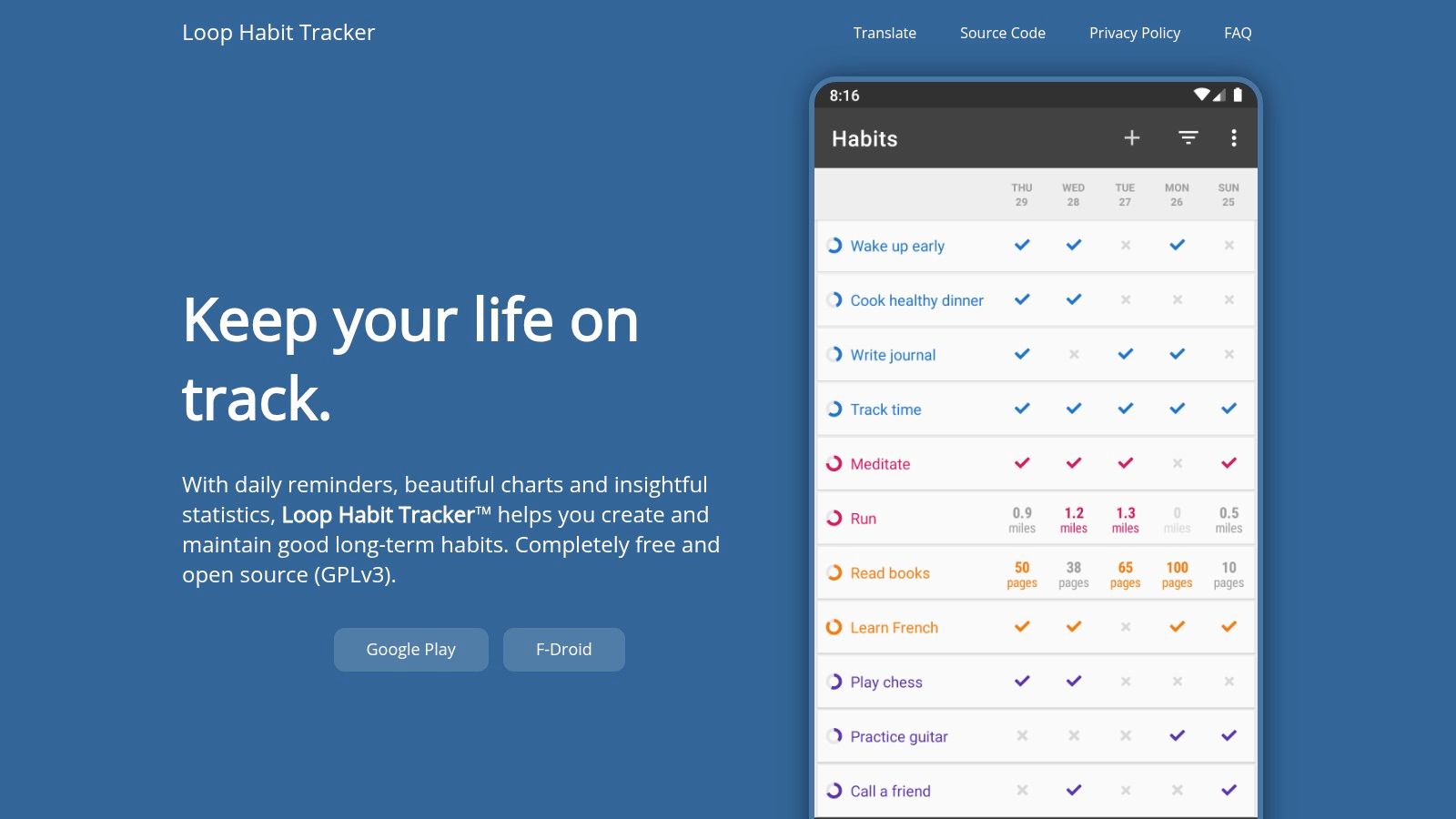
The platform’s strength lies in its elegant simplicity and powerful, easy-to-read analytics. It visualizes your progress with detailed charts and statistics, helping you understand your consistency over time. Because it’s open-source (GPLv3), its code is transparent and can be audited, offering a level of trust that proprietary apps cannot match. It’s also available on F-Droid, an alternative app store for free and open-source software.
Key Features & User Experience
Loop Habit Tracker offers a clean, minimalistic user interface that is incredibly lightweight and battery-friendly. Setting up habits is quick, and the flexible scheduling allows for daily, weekly, or custom interval tracking. The app’s core is its “Habit Score,” a formula that calculates the strength of your habits based on consistency, giving you a more nuanced view of your progress beyond simple streaks.
Practical Tip: Use the export/import feature to manually back up your data to cloud storage like Google Drive or Dropbox. While the app lacks automatic cloud sync, this manual step ensures you can restore your progress if you switch devices, preserving your valuable tracking history.
- Pros: Completely free with no ads or in-app purchases, privacy-focused with no account required, clean interface with strong analytics.
- Cons: Android-only with no official iOS version, no built-in cross-device sync functionality.
- Website: https://loophabits.org
12. Notion Template Gallery (Habit Trackers)
For users who already manage their lives in Notion, the platform’s own Template Gallery is an ideal resource for finding the best habit tracking apps built right into their existing workflow. Instead of a standalone app, this gallery offers a marketplace of pre-made, community-created habit trackers that you can instantly duplicate into your own workspace. The primary advantage is seamless integration; your habits can live alongside your project plans, journals, and goals.
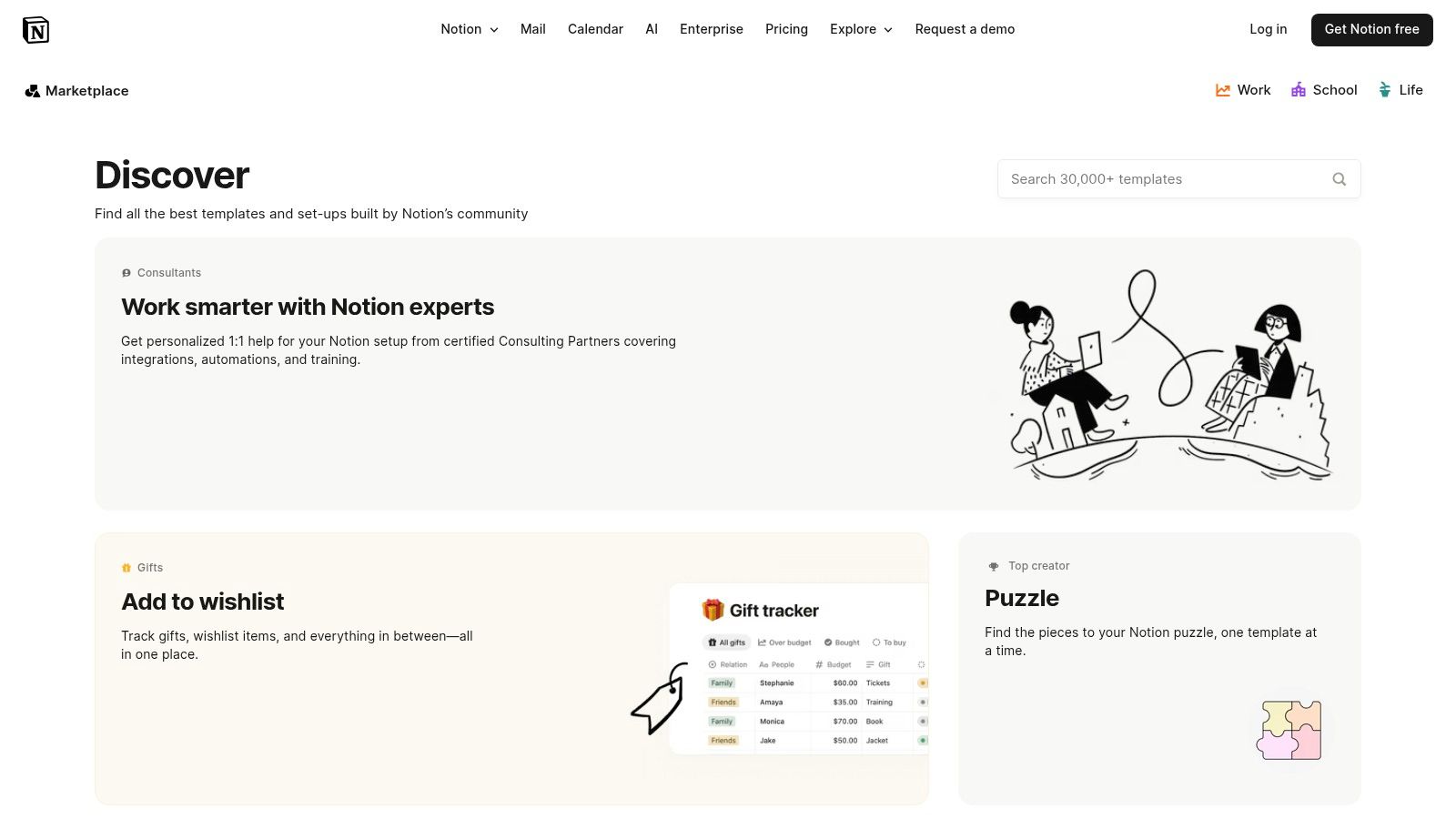
The gallery features a wide mix of free and paid templates, each with detailed descriptions, creator info, and previews. This allows you to choose a system that fits your aesthetic and functional needs, from simple checkbox lists to complex databases with analytics. If you’re looking to personalize your experience beyond pre-made solutions, you can learn how to build a custom habit tracker in Notion to gain full control over your system’s design and functionality.
Key Features & User Experience
A standout feature is the unparalleled customizability. Once a template is added to your workspace, every aspect of its database, from properties to views and formulas, can be modified. This allows you to connect your habit tracking directly to other systems, like automatically linking a “workout” entry to your weekly fitness goals or daily journal page. This deep integration creates a holistic productivity dashboard rather than a siloed habit app.
Practical Tip: Before choosing a template, consider what other information you want to connect to your habits. Look for templates with “relations” or “rollups” mentioned in their descriptions, as these are designed for integration with other Notion databases like task lists or project trackers.
- Pros: Highly customizable and integrates with broader Notion systems, many free options and instant deployment to your workspace.
- Cons: Not a dedicated native habit app; depends on Notion performance, mobile notifications/widgets differ from native iOS/Android apps.
- Website: https://www.notion.com/templates
Top 12 Habit-Tracking Apps: Feature Comparison
| Product | Core features ✨ | Experience / Quality ★ | Price / Value 💰 | Audience & USP 👥🏆 |
|---|---|---|---|---|
| Digital Detox App 🏆 | Single‑purpose web tools: detox plans, timers, sleep routines, boundary setters ✨ | ★★★★ — simple, data‑driven, measurable wellness | 💰 Free core; premium upgrades planned | 👥 Busy people, students, parents — 🏆 lightweight, experiment‑driven tools for effortless habit change |
| Apple App Store | Curated native app pages, reviews, IAP/subscription info ✨ | ★★★★ — vetted listings, reliable updates | 💰 Free to browse; apps/subscriptions via Apple ID | 👥 iOS users — best for secure purchases and Family Sharing |
| Google Play Store | Large Android marketplace, Play Protect, installs/updates ✨ | ★★★ — vast selection; quality varies | 💰 Free to browse; purchases via Google Play | 👥 Android users — widest variety and frequent promos |
| Habitify | Cross‑platform sync, reminders, calendar & Health integrations ✨ | ★★★★ — polished, consistent UX | 💰 Freemium; clear paid tiers | 👥 Multi‑device users — strong analytics and Apple ecosystem support |
| Habitica | Gamified RPG mechanics, parties, quests and rewards ✨ | ★★★ — motivating but busy UI | 💰 Free + optional subscriptions | 👥 Gamification fans — social accountability and community events |
| Streaks | Apple‑only streaks, widgets, Apple Health & Watch deep integration ✨ | ★★★★ — native, award‑winning design | 💰 One‑time purchase (no subscription) | 👥 Apple users wanting simple, subscription‑free tracking |
| Strides | Multiple tracking modes (Habit/Target/Average/Project), templates ✨ | ★★★★ — detailed reports and visuals | 💰 Freemium; premium for advanced features | 👥 Goal‑oriented users — flexible SMART tracking |
| Fabulous | Guided journeys, coach‑style programs and ritual design ✨ | ★★★★ — rich onboarding, wellness focus | 💰 Subscription‑centric (trial available) | 👥 Beginners seeking structured routines and motivation |
| TickTick | Tasks + habit module, Pomodoro timer, calendar sync ✨ | ★★★★ — powerful all‑in‑one productivity | 💰 Freemium; annual Premium plan | 👥 Productivity users who want tasks and habits together |
| Done | Simple, colorful tracker, multi‑times/day goals, CSV export ✨ | ★★★ — minimal and privacy‑minded | 💰 Freemium; one‑time/premium unlocks | 👥 iOS users wanting quick logging and data export |
| Loop Habit Tracker | Open‑source, offline, privacy‑first with solid charts ✨ | ★★★★ — lightweight, reliable reminders | 💰 Completely free (GPLv3) | 👥 Android users seeking no‑cost, private tracking |
| Notion Template Gallery | One‑click habit templates, customizable dashboards ✨ | ★★★ — flexible but depends on Notion performance | 💰 Mix of free & paid templates | 👥 Notion power users — highly customizable trackers integrated into workflows |
From Tracking to Transformation: Making Your New Habits Stick
Navigating the landscape of the best habit tracking apps can feel like the first major hurdle in your journey toward self-improvement. We’ve explored a dozen powerful contenders, from the gamified world of Habitica to the sleek, data-driven interface of Streaks, the all-in-one productivity of TickTick, and the customizable potential of Notion templates. Each tool offers a unique pathway to consistency, but the app itself is merely the vehicle. True transformation begins when you take the driver’s seat.
The core takeaway from our deep dive is this: the perfect app is the one that aligns with your personal psychology and logistical needs. There is no universal “best” solution, only the one that is best for you. Your success hinges on selecting a tool that reduces friction, not one that adds another layer of complexity to your already busy life.
Recapping Your Options: A Quick Decision Guide
To simplify your choice, let’s distill the options down to their core strengths based on common user profiles:
- For the Data-Driven Analyst: If you thrive on charts, graphs, and detailed progress reports, Strides and Done are your top choices. They provide the granular feedback needed to analyze trends and optimize your routines with precision.
- For the Gamification Enthusiast: If you need a dose of fun and external motivation to stay engaged, Habitica is unparalleled. Turning your habits into a role-playing game provides a powerful incentive structure that makes consistency feel like an adventure. Fabulous also uses a narrative, journey-based approach, which can be highly motivating.
- For the Apple Ecosystem Power User: If you live and breathe on your iPhone, Apple Watch, and Mac, Streaks offers a seamless, beautifully integrated experience. Its simplicity and deep integration with Apple Health make it a frictionless choice for those already invested in the ecosystem.
- For the Minimalist: For those who prefer a straightforward, no-frills approach, Loop Habit Tracker (on Android) and Done (on iOS) offer clean interfaces focused purely on the essentials. They help you build habits without distracting bells and whistles.
- For the All-in-One Organizer: If you want to integrate habit tracking into your broader productivity system, TickTick and Notion are clear winners. They allow you to connect your daily habits directly to your tasks, projects, and long-term goals, creating a holistic view of your progress.
- For the Digital Minimalist: If your primary goal is to build healthier tech habits and reduce screen time, the focused tools and community support from resources like the Digital Detox App are specifically designed to address this modern challenge. They go beyond simple tracking to foster a more intentional relationship with your devices.
Beyond the Download: A Framework for Lasting Change
Choosing an app is step one. Making the habits stick is the real work. The most successful users of these tools don’t just track; they implement a strategy. As you begin, keep these critical implementation factors in mind:
- Start Impossibly Small: The biggest mistake is trying to overhaul your life overnight. Choose just one or two “keystone” habits to begin with, such as “drink a glass of water after waking up” or “read for five minutes before bed.” Use your chosen app to track these small, achievable wins to build momentum and confidence.
- Leverage Your App’s Strengths: Don’t just check a box. If you chose Habitify, use its reminders and widgets to keep the habit top-of-mind. If you’re on Habitica, engage with your party and complete quests. The features are designed to lower the activation energy required to perform the habit, so use them to your full advantage.
- Embrace Imperfection: You will break a streak. It is inevitable. The goal is not perfection; it’s consistency over time. A broken streak isn’t a failure, it’s a data point. Use it to understand what went wrong. Were you too tired? Was the goal too ambitious? Adjust and get back on track the very next day. Your long-term average is far more important than an unbroken chain.
- Connect Digital Tracking to Real-World Action: An app is a powerful catalyst, but it’s most effective when paired with a real-world commitment. Tell a friend about your goal for accountability. Set out your gym clothes the night before. Create an environment that makes your desired habit the path of least resistance. The app tracks the behavior, but your environment and social commitments help create it.
Ultimately, the journey from tracking to transformation is a personal one. The tools we’ve reviewed are simply maps, each offering a different route to your destination. Your task now is to choose a map that makes sense to you, start your journey with a single step, and trust the process of consistent, incremental improvement. The path to a better version of yourself is paved one small, tracked habit at a time.
If your goal is to build healthier digital habits and reclaim your focus from constant notifications, a dedicated tool can make all the difference. Digital Detox App is designed specifically to help you manage screen time and build a more intentional relationship with your technology. Discover how you can create focused, uninterrupted time by exploring the resources at Digital Detox App.